

AGD Connect
Security without compromise
A smarter, more secure approach to managing your Ethernet-enabled AGD detectors is coming.

Security simplified
As transport infrastructure becomes increasingly connected and reliant on digital technologies, cyber security has become a critical consideration for Intelligent Transport Systems (ITS).
AGD Systems products play an important role in the operation of traffic management, traffic signal control, vehicle detection, traffic monitoring, and smart mobility solutions. Protecting these systems from cyber security risks is essential to maintaining the safety, reliability, and resilience of the transport network.
Introducing AGD Connect, our new device management platform, designed to give authorised users controlled access to connected AGD Products. With enhanced cyber security, simple user management and controlled permission, it’s the future of safe, seamless device management.
1. AUTHORISE
Connect Platform
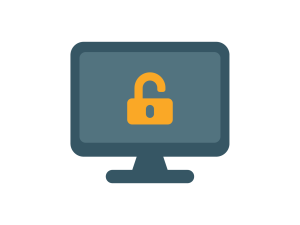
Subcontractor Users are given access to AGD detectors through User Groups that are provisioned by the Highways Authority.

2. CONNECT
Secure browser
Subcontractor Users authenticate every 24 hours via the AGD Secure Browser, which enables them to securely connect to AGD devices, even when offline.

3. CONFIGURE
AGD646 DeTECTOR
Once authenticated, Subcontractor Users then configure the AGD646 detector via the intuitive user interface.

Protecting ITS Infrastructure
The transport sector is rapidly evolving towards connected and automated mobility, smart cities, and increasingly integrated digital infrastructure. As these technologies become more widespread, cyber security will continue to be a key requirement for customers, regulators, and infrastructure operators.
AGD Connect has been designed by AGD Systems to create secure, password-protected access to Ethernet-enabled AGD detectors. AGD Connect significantly improves the cyber resilience of AGD products and supports compliance with the key requirements of EN 18031 and all relevant directives.
By developing products that are secure, resilient, and aligned with recognised cyber security best practices, AGD Systems helps customers maintain confidence in their transport systems while supporting the safe and efficient operation of the road network.
agd646
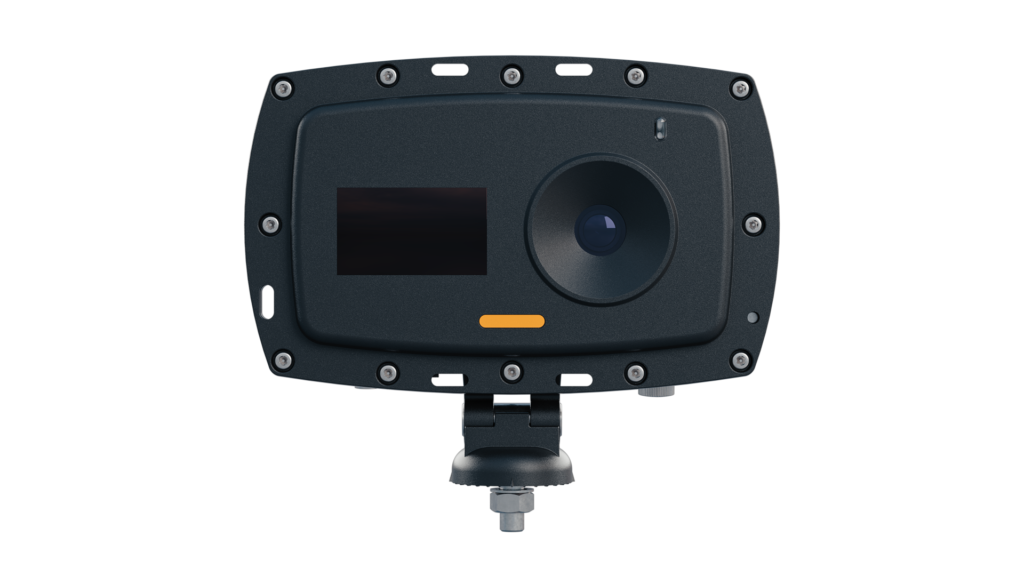
AGD Connect will first be launched with our brand new AGD646 Kerbside Detector, and AI-enabled device that is designed to support vulnerable road users.
For all installations of AGD646, users will be required to be on-boarded with AGD Connect and have downloaded the Secure Browser.
For more information about the AGD646, click here.
Key Benefits
AGD Connect has been designed with the end user in mind, to provide greater control and visibility for Highways Authorities, ease-of-use for subcontractors and system integrators, and seamless access control for field engineers.

For Highways Authorities
Securely manage who is able to install and configure devices on your network, ensuring your ITS is cyber-secure.

For Sub-contractors
Simple, user-level password management, ensuring your systems stay secure and device changes are traceable.
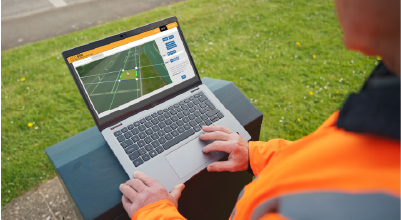
For Field Engineers
Simple, password controlled access to install and configure AGD devices.
Download Agd Secure Browser
The AGD Secure Browser ensures that only authorised users can access supported AGD detectors, and provides a secure and seamless way to connect to the detector configuration pages.
To download the AGD Secure Browser, please click the link below. The installer will appear in your downloads.
Download the Agd Secure Browser
Note: AGD Secure Browser may need to be installed by your IT Department or via your Company Portal, please ensure you have appropriate permissions prior to downloading. If you require technical support or for business onboarding, please click ‘Speak to an Expert’

Don’t Forget – AGD Connect!
In order to maintain system security, it will be necessary to refresh your access token every 24hrs. To avoid any delays to installation and commissioning schedules, please make sure you log-in to AGD Connect when you have an active and stable internet connection, ideally before travelling to site.
Once your access token has been validated, you will be able to connect and configure devices offline for 24 hours.
Interested?
Complete this form to request a demo or speak to an expert
Frequently Asked Questions
What is AGD Connect?
AGD Connect is a secure system for managing Ethernet enabled AGD detectors. It comprises of an online user management platform and a secure browser software application – which enables controlled access to the detector configuration interface. These three components work together to provide seamless, compliant access control for Highways Authorities and Subcontractors.
How do I get started with AGD Connect?
In order to get started with AGD Connect you will either need a Subcontractor Administrator account or a Highways Authority administrator account. For Subcontractors, this will allow you to create User Groups of field engineers that will appear in the Access List. For Highways Authorities, this will allow you to select User Groups from your Access List settings, which enables subcontractors to install devices on your network.
Which Products use AGD Connect?
AGD Connect is currently available only on AGD646. AGD Connect will feature on all of our future, Ethernet-enabled detectors.
For more information about the AGD646, click here.
DOes AGD Connect work on mobile?
AGD Connect is designed for use on desktop, but we are developing a mobile version of the Secure Browser which will soon be available on iOS and Android.
How do I get an AGD Connect user account?
In order to get an AGD User Account you will need to be set up as either a Highways Authority Administrator, Highways Authority User, Subcontractor Administrator or Subcontractor User.
If you are a Field Engineer for a Subcontractor, you will need to contact your Field Service Manager to check if you have been on-boarded for AGD Connect, if so, they will be able to create an account for you.
If you are a Highways Authority or Subcontractor and you have not yet set up an AGD Connect account, please contact us.
How long does the authentication last?
Once you have successfully logged in, the browser retains your authorisation for 24 hours.
During this period, you can continue to use AGD Secure Browser to access compatible AGD detectors, even where internet access is not available at the roadside. After the 24-hour authorisation period expires, you will need to connect your device to the internet and log in again before continuing to use AGD Secure Browser.
Once you are authenticated, you are able to close the AGD Secure Browser.
does AGD Connect work offline?
Yes, AGD Connect is designed to allow seamless, secure access, even when offline.
So long as your access token is valid in the period you are installing a compatible detector, you will be able to work uninterupted. We recommend that you refresh your access token before travelling to site to avoid issues.
What if I don’t have AGD Secure Browser installed?
If you do not have AGD Secure Browser installed you will not be able to connect to the AGD646 for installation and configuration, this may lead to a cancelled installation.
What if I don’t have an AGD Connect user account?
If you do not have an AGD Connect user account you will be unable to connect to or configure the AGD646 detector. This may lead to a cancelled installation.
Can I choose not to have AGD Connect on my AGD646 detectors?
No, in order to comply with the Cyber Resilience Act and other relevant cyber security standards, all AGD646 detectors require secure, user-specific, access control.
Is AGD Connect GDPR Compliant?
AGD Connect has been designed using the principle of data minimisation and collects only the information necessary to authenticate users and manage access permissions to Ethernet-enabled AGD devices.
Key points:
- The Highway Authority does not have visibility of the personal details of users within external organisations.
- Individual names and email addresses are not shared between organisations.
- Access permissions can be managed without exposing personal information to third parties.
Where can I learn more about AGD Connect?
You can find out more about AGD Connect by visiting our Knowledge Base.